

Your laptop just died. Or maybe it’s doing that thing where it takes four minutes to open a browser tab and you can hear the fan spinning like it’s trying to take off. Whatever the issue, you need someone to fix it – and fast. But how do you find a computer repair shop you can actually trust, without ending up paying through the nose for something you didn’t need ?
A Minefield Out There – But the Good Ones Do Exist
It’s more of a minefield than it should be, honestly. There are great independent technicians out there doing solid, honest work – the kind of local specialists like https://craponne-informatique.com/ who focus on real repairs for real people, with transparent pricing and no unnecessary upselling. But there are also plenty of shops that’ll charge you a diagnostic fee just to tell you your charger is loose. So let’s talk about how to tell the difference.
Start With Reviews – But Read Them Properly

Google reviews are your first stop. Not just the star rating – the actual text. A 4.2 with 80 reviews tells you more than a 5.0 with 6 reviews, and you know it.
What you’re looking for in the comments : do people mention specific repairs ? Do they talk about the technician explaining what was wrong ? Are there mentions of fair pricing or unexpected charges ? These details matter a lot more than vague “great service, highly recommend” entries.
Also look at how the shop responds to negative reviews. A professional, calm reply to a complaint is actually a good sign. It tells you they care about their reputation and they’re not just going to ghost you if something goes wrong.
Ask for a Quote Before They Touch Anything
This one is non-negotiable. Always ask for a written or at least confirmed quote before any work starts.
Some shops charge a flat diagnostic fee – usually between £20 and £50 – which is fair enough. What’s not fair is when that fee suddenly morphs into a £200 bill for work you never agreed to. It happens more than people realise.
A trustworthy repairer will tell you upfront : here’s what the diagnostic costs, here’s what we think the problem might be, and here’s a rough estimate for the repair. If they’re vague or evasive when you ask for numbers, that’s a red flag worth paying attention to.
Check What They Actually Specialise In

Not all repair shops are equal when it comes to expertise. Some are great with hardware – screen replacements, battery swaps, keyboard repairs. Others are better suited for software issues – virus removal, OS reinstalls, speed optimisation.
Ask directly : do you handle this type of repair regularly ? If you’ve got a specific laptop model with a known fault, ask if they’ve seen it before. A good technician will either say yes confidently or admit they’d need to look into it – and both answers are fine. What’s not fine is someone blagging their way through your question without really knowing.
I find that independent local shops often have more specialised knowledge than big chain stores, which tend to follow rigid scripts. Maybe that’s a generalisation, but it’s been my experience more than once.
Watch Out for These Warning Signs
A few things that should make you think twice before handing over your machine :
No physical address. If someone’s operating purely from a phone number and a Facebook page, there’s no accountability if something goes wrong. You want a place you can walk into.
Pressure to upgrade instead of repair. There’s a time when replacing a machine makes financial sense, sure. But if a technician immediately tells you repair isn’t worth it without properly diagnosing the issue first, that’s worth questioning.
Vague turnaround times. “It’ll be ready sometime next week” is not an answer. A professional shop should be able to give you a realistic timeframe, and let you know if something unexpected comes up.
No receipt or paperwork. Always get something in writing – what they’re repairing, the agreed cost, and a contact number. It’s basic, but some shops still operate without it.
Ask What Happens to Your Data
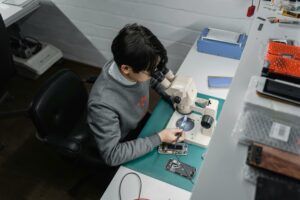
This is one people forget to ask, and then regret. If your hard drive needs to be replaced or your system needs a full reinstall, what happens to your files ?
A trustworthy technician will ask you about backups before starting work, and will tell you clearly whether your data can be preserved. If they skip this conversation entirely, bring it up yourself. Your photos, documents, and everything else on that machine matter – don’t assume they’ll be treated carefully unless you’ve confirmed it.
Local vs Chain : Which Is Better ?
There’s genuinely no single right answer here. Some large chain repair services offer solid warranties and standardised processes, which can be reassuring. But they can also be expensive, slow, and impersonal – you’re often talking to a sales assistant rather than the person actually doing the repair.
Independent local shops tend to be more flexible, more direct, and often more invested in getting things right because their reputation depends entirely on word of mouth. You can usually speak to the actual technician. That personal accountability makes a real difference.
My honest take ? For most common repairs – screen replacement, battery, virus removal, slow performance – a well-reviewed independent local shop will serve you better than a big-box store. But if you need manufacturer-specific repairs or your device is still under warranty, go through the official channel.
One Last Thing Before You Decide

Once you’ve found a shop that seems trustworthy, do a quick check : are they easy to reach by phone or email ? Do they explain things clearly without making you feel stupid for not knowing ? Do they seem genuinely interested in fixing your problem rather than just processing you through ?
Those small things tell you a lot. A good technician wants you to understand what’s wrong with your machine – not keep you in the dark so you feel dependent on them.
Take your time with this choice. Your data and your device are worth it.